

Berikut adalah panduan lengkap dan terbaru cara membuat akun Facebook, langkah demi langkah, disertai dengan gambar sebagai panduan visual.
🔹 Langkah 1: Buka Halaman Facebook
-
Buka browser kamu (Google Chrome, Firefox, Safari, dll).
-
Kunjungi situs: https://www.facebook.com
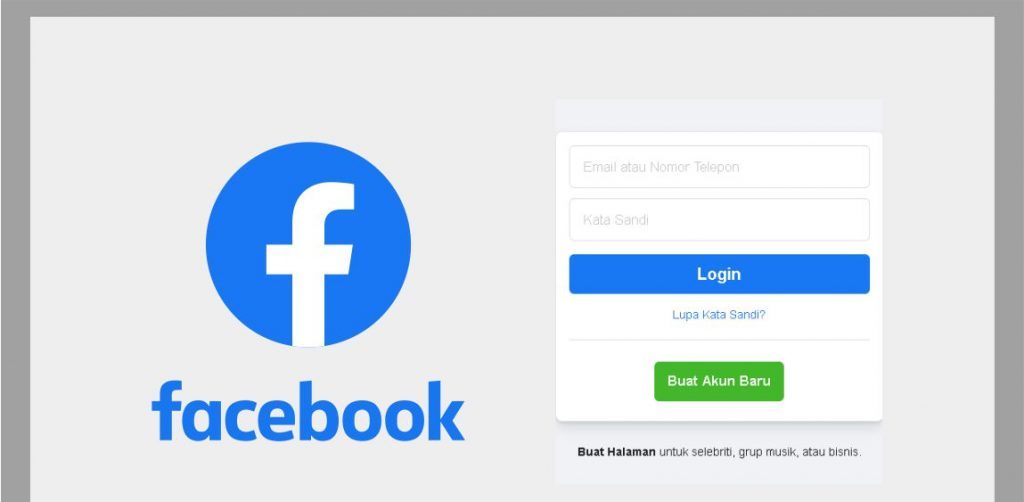
🖼️ Tampilan awal halaman Facebook:
🔹 Langkah 2: Klik “Buat Akun Baru”
-
Pada halaman utama, klik tombol “Buat Akun Baru” (biasanya berwarna hijau atau biru).
🔹 Langkah 3: Isi Formulir Pendaftaran
Formulir yang harus kamu isi:
-
Nama depan dan belakang
-
Nomor HP atau email (Cara bikin email Gmail)
-
Kata sandi baru
-
Tanggal lahir
-
Jenis kelamin (Laki-laki / Perempuan / Kustom)
📝 Tips:
-
Gunakan email aktif atau nomor HP yang kamu akses.
-
Kata sandi sebaiknya terdiri dari huruf besar, huruf kecil, angka, dan simbol untuk keamanan.
🔹 Langkah 4: Klik “Daftar”
Setelah mengisi semua kolom, klik tombol “Daftar” (biasanya di bawah form).
🔹 Langkah 5: Verifikasi Akun
-
Facebook akan mengirimkan kode verifikasi ke email atau nomor HP kamu.
-
Buka email/SMS dan masukkan kode tersebut ke halaman verifikasi Facebook.
🔹 Langkah 6: Selesai!
-
Setelah verifikasi berhasil, kamu langsung masuk ke akun Facebook baru kamu.
-
Selanjutnya kamu bisa:
-
Mengunggah foto profil
-
Menambahkan teman
-
Membuat status
-
Menyesuaikan pengaturan privasi
-
🔹 (Opsional) Tambahkan Foto Profil dan Sampul
-
Klik di bagian “Tambahkan Foto Profil” dan pilih dari galeri atau ambil langsung.
-
Lakukan hal yang sama untuk “Foto Sampul”.


Everything typed was actually very reasonable. But,
think about this, suppose you added a little content? I ain’t saying your content isn’t
solid., but suppose you added a headline to possibly get a
person’s attention? I mean Panduan Lengkap Cara Bikin Akun Facebook Untuk
Pemula – BlogNation is a little vanilla. You might glance at Yahoo’s home page and watch how they create article
titles to get people interested. You might add a video or a
picture or two to grab readers excited about what you’ve got to say.
Just my opinion, it might make your website a
little bit more interesting.
Do you mind if I quote a couple of your articles as long as
I provide credit and sources back to your site? My blog site is in the very same
area of interest as yours and my users would really
benefit from a lot of the information you provide here.
Please let me know if this okay with you. Regards!
I like the valuable information you provide in your
articles. I’ll bookmark your weblog and check again here frequently.
I’m quite sure I will learn many new stuff right here!
Best of luck for the next!
Hi there to all, the contents present at this website are really amazing for people experience, well, keep up the
good work fellows.
Hi there to all, the contents existing at this site are in fact remarkable for people experience, well,
keep up the good work fellows.
I blog quite often and I truly appreciate your content.
The article has really peaked my interest. I’m going to bookmark your website and keep checking for new
information about once per week. I opted in for your Feed too.
Definitely consider that that you stated.
Your favourite justification seemed to be on the
web the easiest factor to understand of. I say to you, I certainly
get irked even as other people consider worries that they just don’t recognize about.
You managed to hit the nail upon the highest and
also outlined out the entire thing without having side-effects , folks could take a signal.
Will probably be back to get more. Thanks
I quite like looking through a post that can make men and women think.
Also, thanks for allowing me to comment!
I really like it whenever people come together and share opinions.
Great blog, keep it up!
You are so interesting! I don’t believe I have read something
like that before. So great to discover another
person with some original thoughts on this issue.
Seriously.. thanks for starting this up. This site is something that is needed
on the web, someone with a little originality!