

Berikut adalah panduan lengkap dan terbaru cara membuat akun Facebook, langkah demi langkah, disertai dengan gambar sebagai panduan visual.
🔹 Langkah 1: Buka Halaman Facebook
-
Buka browser kamu (Google Chrome, Firefox, Safari, dll).
-
Kunjungi situs: https://www.facebook.com
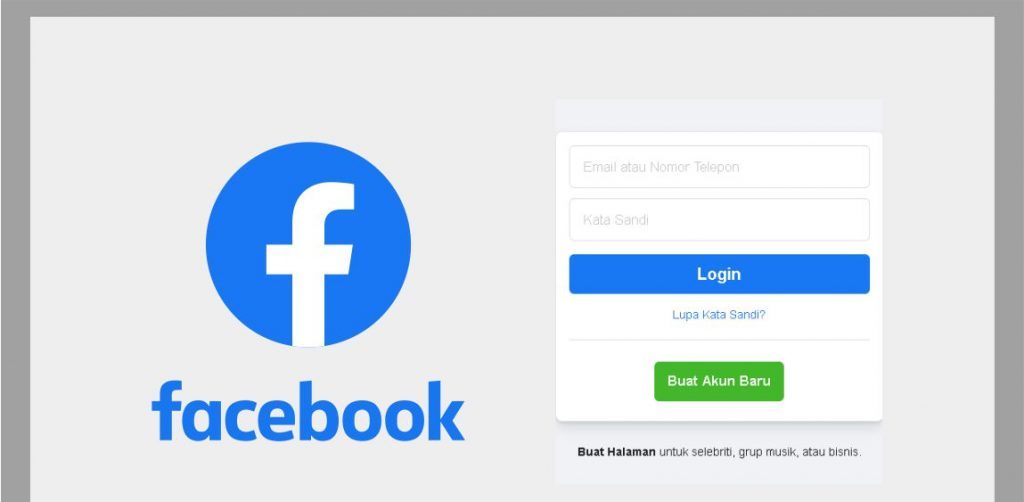
🖼️ Tampilan awal halaman Facebook:
🔹 Langkah 2: Klik “Buat Akun Baru”
-
Pada halaman utama, klik tombol “Buat Akun Baru” (biasanya berwarna hijau atau biru).
🔹 Langkah 3: Isi Formulir Pendaftaran
Formulir yang harus kamu isi:
-
Nama depan dan belakang
-
Nomor HP atau email (Cara bikin email Gmail)
-
Kata sandi baru
-
Tanggal lahir
-
Jenis kelamin (Laki-laki / Perempuan / Kustom)
📝 Tips:
-
Gunakan email aktif atau nomor HP yang kamu akses.
-
Kata sandi sebaiknya terdiri dari huruf besar, huruf kecil, angka, dan simbol untuk keamanan.
🔹 Langkah 4: Klik “Daftar”
Setelah mengisi semua kolom, klik tombol “Daftar” (biasanya di bawah form).
🔹 Langkah 5: Verifikasi Akun
-
Facebook akan mengirimkan kode verifikasi ke email atau nomor HP kamu.
-
Buka email/SMS dan masukkan kode tersebut ke halaman verifikasi Facebook.
🔹 Langkah 6: Selesai!
-
Setelah verifikasi berhasil, kamu langsung masuk ke akun Facebook baru kamu.
-
Selanjutnya kamu bisa:
-
Mengunggah foto profil
-
Menambahkan teman
-
Membuat status
-
Menyesuaikan pengaturan privasi
-
🔹 (Opsional) Tambahkan Foto Profil dan Sampul
-
Klik di bagian “Tambahkan Foto Profil” dan pilih dari galeri atau ambil langsung.
-
Lakukan hal yang sama untuk “Foto Sampul”.


I wanted to thank you for this excellent read!!
I definitely enjoyed every bit of it. I’ve got you saved as a favorite to look at new stuff you post…
Hi are using WordPress for your site platform? I’m new to the blog world but I’m trying to get started
and set up my own. Do you require any coding expertise to make
your own blog? Any help would be greatly appreciated!
Hello There. I found your blog using msn. This is a very well written article.
I’ll be sure to bookmark it and return to read more of
your useful information. Thanks for the post.
I will definitely comeback.
Hmm it seems like your blog ate my first comment (it was super long) so
I guess I’ll just sum it up what I had written and say, I’m
thoroughly enjoying your blog. I as well
am an aspiring blog blogger but I’m still new to the whole thing.
Do you have any points for rookie blog writers? I’d really appreciate it.
I do consider all of the ideas you have presented in your post.
They’re very convincing and will definitely work.
Still, the posts are too brief for starters.
May you please extend them a little from subsequent time?
Thank you for the post.
These are in fact great ideas in concerning blogging.
You have touched some fastidious points here. Any
way keep up wrinting.
You really make it seem so easy with your presentation but I
find this topic to be actually something that I think I would never understand.
It seems too complicated and extremely broad for me.
I’m looking forward for your next post, I will try to get the hang of it!
I have been exploring for a bit for any high quality articles or blog posts in this kind of house .
Exploring in Yahoo I at last stumbled upon this website.
Reading this info So i’m glad to convey that I’ve an incredibly just right uncanny feeling I discovered exactly
what I needed. I most definitely will make sure to don?t disregard this website and give it a look on a relentless basis.
Simply wish to say your article is as amazing.
The clearness in your post is simply nice and i could assume you
are an expert on this subject. Fine with your permission allow
me to grab your RSS feed to keep updated with forthcoming post.
Thanks a million and please keep up the enjoyable work.
WOW just what I was looking for. Came here by searching
for Exness go aplikasi