

Berikut adalah panduan lengkap dan terbaru cara membuat akun Facebook, langkah demi langkah, disertai dengan gambar sebagai panduan visual.
🔹 Langkah 1: Buka Halaman Facebook
-
Buka browser kamu (Google Chrome, Firefox, Safari, dll).
-
Kunjungi situs: https://www.facebook.com
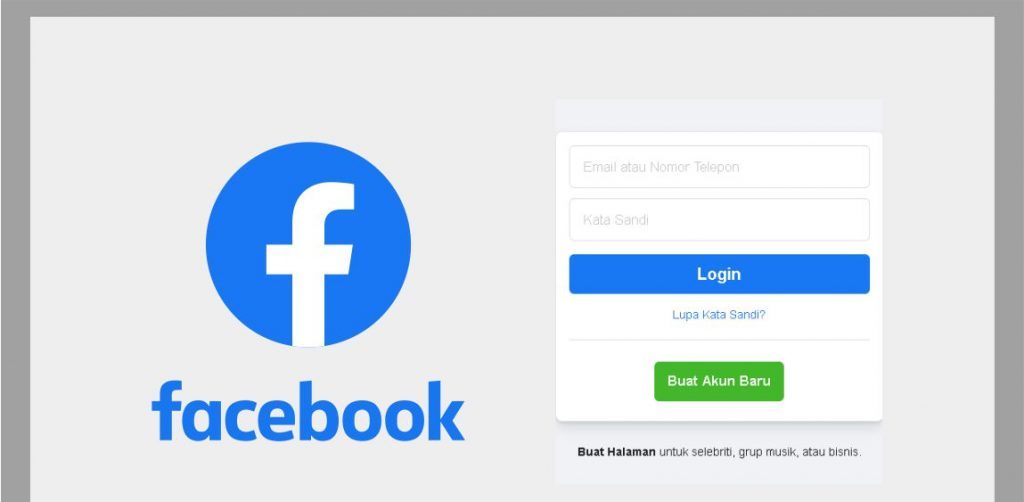
🖼️ Tampilan awal halaman Facebook:
🔹 Langkah 2: Klik “Buat Akun Baru”
-
Pada halaman utama, klik tombol “Buat Akun Baru” (biasanya berwarna hijau atau biru).
🔹 Langkah 3: Isi Formulir Pendaftaran
Formulir yang harus kamu isi:
-
Nama depan dan belakang
-
Nomor HP atau email (Cara bikin email Gmail)
-
Kata sandi baru
-
Tanggal lahir
-
Jenis kelamin (Laki-laki / Perempuan / Kustom)
📝 Tips:
-
Gunakan email aktif atau nomor HP yang kamu akses.
-
Kata sandi sebaiknya terdiri dari huruf besar, huruf kecil, angka, dan simbol untuk keamanan.
🔹 Langkah 4: Klik “Daftar”
Setelah mengisi semua kolom, klik tombol “Daftar” (biasanya di bawah form).
🔹 Langkah 5: Verifikasi Akun
-
Facebook akan mengirimkan kode verifikasi ke email atau nomor HP kamu.
-
Buka email/SMS dan masukkan kode tersebut ke halaman verifikasi Facebook.
🔹 Langkah 6: Selesai!
-
Setelah verifikasi berhasil, kamu langsung masuk ke akun Facebook baru kamu.
-
Selanjutnya kamu bisa:
-
Mengunggah foto profil
-
Menambahkan teman
-
Membuat status
-
Menyesuaikan pengaturan privasi
-
🔹 (Opsional) Tambahkan Foto Profil dan Sampul
-
Klik di bagian “Tambahkan Foto Profil” dan pilih dari galeri atau ambil langsung.
-
Lakukan hal yang sama untuk “Foto Sampul”.


WOW just what I was searching for. Came here by searching for https://foryou-platform.com/
Way cool! Some extremely valid points! I appreciate you penning this write-up plus
the rest of the website is extremely good.
Greetings! I’ve been reading your weblog for a long time now and finally got the bravery to go
ahead and give you a shout out from Porter Texas! Just wanted to mention keep up the good job!
Hi, I do think your site may be having internet browser
compatibility problems. When I take a look at your site in Safari,
it looks fine but when opening in I.E., it’s got some overlapping issues.
I simply wanted to give you a quick heads up!
Aside from that, wonderful site!
Hi there just wanted to give you a quick heads up. The words in your content seem to be running off the screen in Ie.
I’m not sure if this is a format issue or something to do with browser compatibility but
I figured I’d post to let you know. The style and design look great though!
Hope you get the problem resolved soon. Thanks
Piece of writing writing is also a fun, if you be acquainted with afterward you
can write or else it is difficult to write.
Hi friends, how is the whole thing, and what you want to say concerning this paragraph, in my view its really remarkable
in favor of me.
Hi my loved one! I want to say that this post is amazing,
great written and come with approximately all vital
infos. I’d like to peer extra posts like this .
I do agree with all the ideas you have offered for your post.
They’re really convincing and will certainly work.
Nonetheless, the posts are too brief for starters. May you please lengthen them a bit from
subsequent time? Thanks for the post.
Greetings! Very helpful advice within this post! It is the little changes
which will make the most significant changes. Thanks a
lot for sharing!